New doctor’s invoice from 2026 – how to submit your invoice correctly
The new Tardoc doctors’ tariff structures and outpatient flat rates are being introduced. As a result, medical invoices in Switzerland will be presented in a new, clearer format from 1 January 2026. Find out what you need to do when submitting new medical invoices.
Overview
TG or TP invoice: Which invoice do I need to submit? ›
What does the new doctor’s invoice look like? ›
What are the benefits of the new doctor’s invoice? ›
How do I submit the new doctor’s invoice correctly? ›
More questions and answers about the new doctor’s invoice ›
TG or TP invoice: Which invoice do I need to submit?
TG invoice
Tiers garant invoice
You will receive this invoice from the service provider (medical practice, therapist).
You pay the amount in advance and submit the invoice to the health insurer.
TP invoice
Tiers payant invoice
The service provider (medical practice, therapist) sends this invoice to the health insurer. You will receive a copy of the invoice for your documents.
The health insurer pays the invoice directly; you make no advance payments and may only have to pay a cost contribution (excess and deductible). You do not need to submit a copy of the invoice to your health insurance company.
What does the new doctor’s invoice look like?
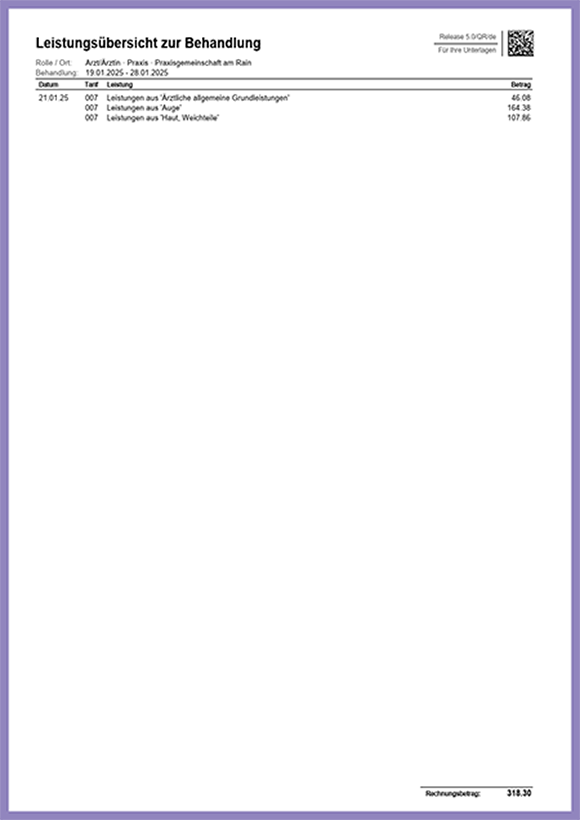
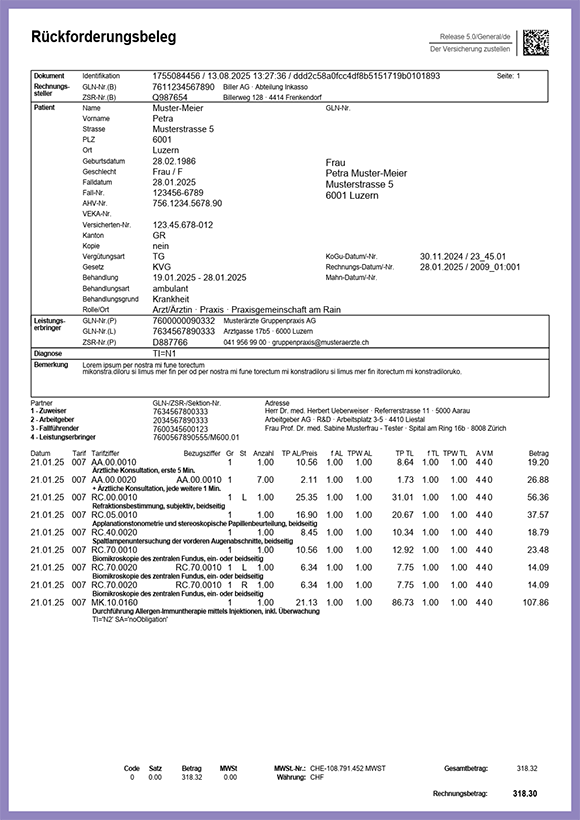
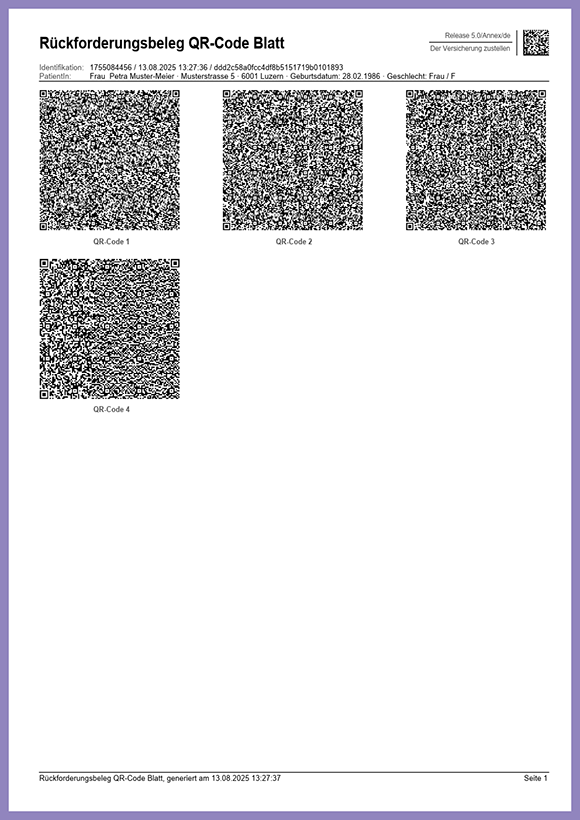
In the image gallery, you will find an example of what the new medical bill may look like – use the arrows to navigate to the next page.
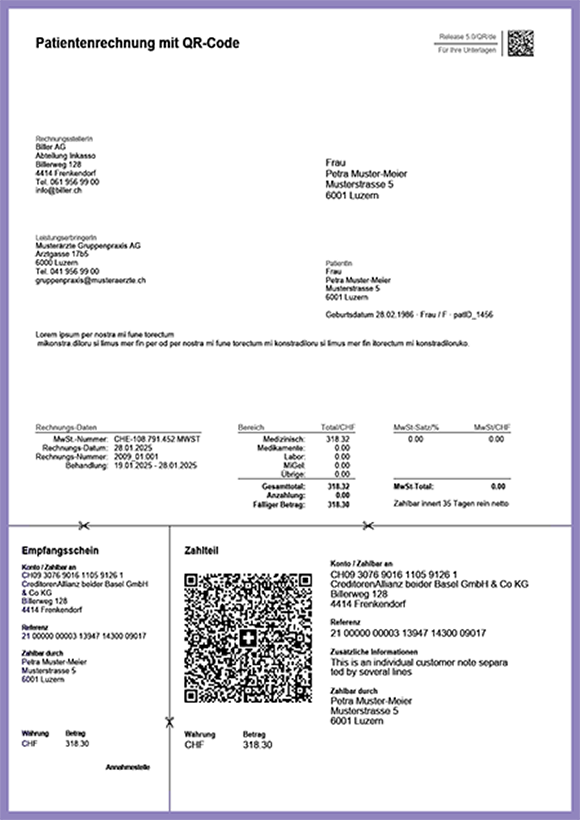
Payment section
For you to pay the invoice. Do not submit to Sympany.
Overview of treatment services
For your review. Do not submit to Sympany.
Claim receipt
Please submit to Sympany.
QR code sheet
Please submit to Sympany.
What are the benefits of the new doctor’s invoice?
- Comprehensible overview of benefits
The doctor’s invoice now includes a clear overview of the services provided which patients can understand. - Easier submission
There is no need to laboriously scan each page of the invoice. Now all you have to do is submit the QR code sheet and the reimbursement receipt – ideally by scanning it in the app or the mySympany customer portal. - Digital processing
The QR codes contain all billing-relevant information in the new 5.0 XML format, which enables fast, error-free processing.
How do I submit the new doctor’s invoice correctly?
The easiest way is to use the mySympany app:
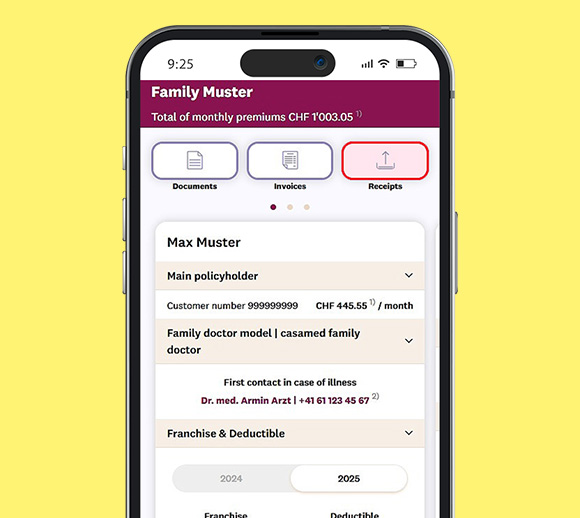
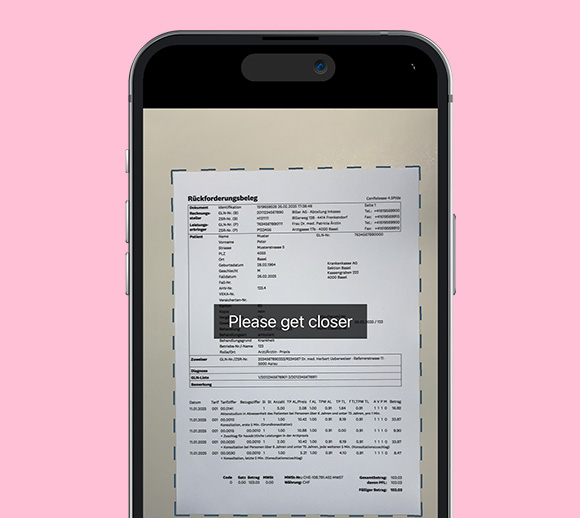
Call up the “Submit documents” function
Open the app > log in (using biometrics is fastest) > Tap the button “Submit documents”. Then select the mySympany camera and scan your invoice.
Don’t have the mySympany app yet? Download the app ›
Scan invoice
The mySympany app helps you scan the invoice: It gives you tips on how to create an easy-to-read photo. And it checks whether you have photographed all the pages necessary. For the new doctor’s invoices, these are the “Reimbursement document” page and the “QR code sheet”.
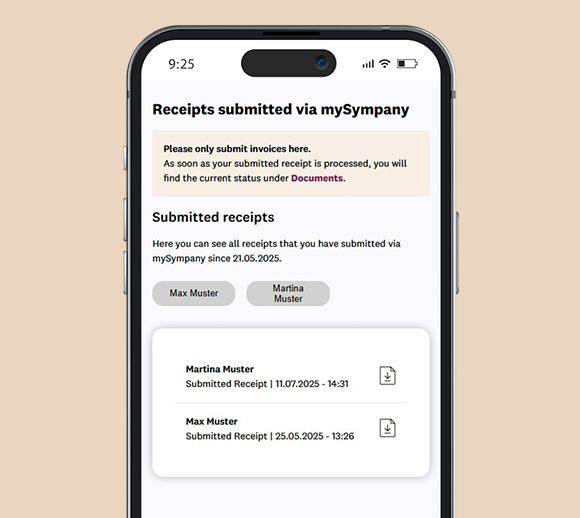
Optional: View submitted invoices
Has Sympany received the invoice? In the section “Submitted invoices” of mySympany, you can see all invoices you have submitted in mySympany in the last 90 days.
More questions and answers about the new doctor’s invoice
A QR code is a picture of small black and white boxes that looks like a little puzzle. The word “QR” stands for “quick response”.
Put simply:
A QR code stores information – such as a link to a website, a text or contact details. If you scan the code with your smartphone or tablet (usually with a camera), the stored information is displayed immediately.
Example:
You see a QR code on a poster. Hold your smartphone in front of it and a website will automatically open with more information about the event from the poster.
Why is this practical?
- You don’t need to type anything.
- It’s fast.
- A lot of information can be stored in a small space.
Yes. Services rendered up to 31 December 2025 must be settled using the old tariff (Tarmed). The new tariffs (Tardoc, outpatient flat rates) will only apply to treatment provided after 1 January 2026.
The invoice contains two additional pages: the QR code sheet and the simplified overview of services for patients. Doctors’ tariffs are also new: The old Tarmed tariff will be replaced by Tardoc and the outpatient flat rates.
Please submit the reimbursement document and the page with the QR codes – ideally via the scan function in the app or the mySympany customer portal.
No. All you need to do is send us the reimbursement document and the page with the QR codes. You can keep the remaining pages for your records.
The QR code contains all billing-relevant data in machine-readable XML format. The information on services, tax points, amounts and tariffs is displayed such that it can be processed automatically.
You can check the summary page with the amounts and tariff types. If you have any questions, it’s best to contact your doctor’s practice or therapist directly.
No. The health insurer will continue to cover the costs according to basic insurance minus the cost contribution. However, the redesigned invoice should enable health insurers to process it more quickly.